 By Laura Mitchell
Our Editorial Research & Methodology
Why Your Solar App Is Not Enough
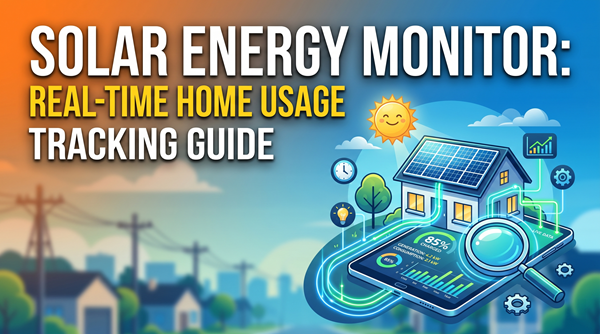
Most people think they are set once their solar installer hands over a login to an app like Enphase or SolarEdge. Here is the thing: those apps are great for telling you how much power your panels are making, but they are often terrible at telling you what your house is actually doing with that power in real-time. Most stock solar apps update every 15 minutes. In the world of energy management, 15 minutes is an eternity. If you turn on a toaster, a vacuum, and a hair dryer at the same time, you want to see that spike instantly, not a quarter-hour later.
A dedicated home energy monitor gives you the full picture. It sits in your electrical panel and watches the flow of electricity both ways—what you are pulling from the grid and what you are pushing back. By February 2026, the technology has shifted from simple tracking to predictive AI that helps you decide exactly when to run your heavy appliances to ensure you never pay a cent more to the utility company than necessary.
The Difference Between Production and Consumption
To get the most out of your solar investment, you need to understand the gap between production and consumption. Production is what your panels generate. Consumption is what your lights, fridge, and EV charger use. The magic happens in the 'Net'—the difference between the two. If you are producing 5kW and using 2kW, you are making money. If you are producing 5kW but using 7kW, you are losing money. A good monitor shows you this balance with sub-second latency.
Top Home Energy Monitors for Solar in 2026
Choosing the right monitor depends on whether you want a simple 'set it and forget it' experience or if you are the type of person who wants to see exactly how many watts your coffee maker uses. Here is a breakdown of the best options currently on the market.
🏆 Our Top Picks
Sense Energy Monitor with Solar
The gold standard for AI-driven device recognition. It uses high-resolution sampling to identify individual appliances by their electrical signature. The dedicated solar version tracks production and consumption simultaneously with 1-second updates, making it perfect for those who want a high-tech, visual representation of their energy flow.
Check Price on Amazon →Emporia Gen 3 Smart Home Energy Monitor
The best choice for users who want granular, circuit-level data without relying on AI guesses. It includes 16 sensors to monitor specific breakers, providing a complete map of where every watt goes. It is highly affordable and offers one of the most detailed data export features for spreadsheet enthusiasts.
Check Price on Amazon →Shelly Pro 3EM
A professional-grade, DIN-rail mountable monitor that excels in local data control. It is ideal for users who use Home Assistant or other local smart home hubs and want to avoid cloud-based subscriptions. It provides high-accuracy 3-phase energy measurement, which is excellent for complex solar setups.
Check Price on Amazon →Span Smart Panel
A total replacement for your traditional electrical panel. Span provides app-based control over every single circuit, allowing you to shed loads remotely to extend battery life during an outage. It is the most expensive option but offers the most comprehensive energy management ecosystem available in 2026.
Check Price on Amazon →| Monitor Model | Best For | Key Feature | Installation |
|---|---|---|---|
| Sense Solar | AI Device Detection | Real-time 1-second updates | Professional Recommended |
| Emporia Gen 3 | Granular Data | 16 individual circuit clamps | DIY Friendly |
| Shelly Pro 3EM | Local Control | No cloud required (LAN/Wi-Fi) | Professional Recommended |
| Span Smart Panel | Whole Home Control | Replaces your entire breaker box | Professional Only |
Sense Solar: The Smartest Choice
Sense has been the leader in this space for years because of its machine learning. It does not just tell you that you are using 3,000 watts; it tells you that your dishwasher just started its drying cycle. For solar users, the Sense Solar version includes two extra sensors that clamp onto your solar feed. The interface is beautiful, showing a bubble for production and a bubble for consumption. When they overlap, you are living 'off the sun.'
One thing to keep in mind: the AI takes time to learn. It might take a few weeks for it to identify your specific brand of refrigerator. But once it does, the insights are invaluable for finding 'vampire loads'—those devices that suck power even when you think they are off.
Emporia Gen 3: The Data Nerd's Dream
If you do not trust AI to guess what is running, Emporia is your best bet. Instead of using one sensor to guess everything, Emporia uses individual clamps for every single circuit in your breaker box. You will know exactly how much power the guest bedroom is using compared to the kitchen. For solar owners, the Gen 3 model has improved accuracy for net metering, making it much easier to track how much energy you are exporting to the grid during peak sunlight hours.
How to Choose Based on Your Solar Setup
Not every monitor works with every solar setup. If you have a string inverter, installation is usually straightforward. If you have microinverters, you need to make sure the monitor can tap into the combined solar feed before it hits your main breakers. Most modern monitors handle this easily, but it is worth checking your panel layout first.
The Importance of Real-Time Data
I have seen homeowners save 20 percent on their monthly bills just by seeing their data in real-time. It changes your behavior. You start to realize that running the pool pump at 8 PM is costing you five times more than running it at Noon when your panels are cranking out excess power. This 'load shifting' is the fastest way to pay off your solar system.
Local Data vs. Cloud Data
In 2026, privacy is a bigger concern than ever. Some monitors, like Sense and Emporia, send your data to the cloud to be processed. This gives you a great app experience but means your data lives on their servers. If you want to keep everything inside your own four walls, look at options like the Shelly Pro 3EM. It can talk directly to your Home Assistant setup without ever needing an internet connection. This is the 'prosumer' route, but it offers the most control.
Installation: DIY or Professional?
Working inside an electrical panel is dangerous. There are exposed busbars that can kill you if you touch them. If you are comfortable around electricity and have installed a breaker before, you can likely handle an Emporia or Sense installation in about 45 minutes. However, for most people, hiring an electrician for a one-hour service call is the smart move. They can ensure the CT clamps are facing the right direction—a common mistake that leads to 'negative' energy readings.
Common Pitfalls to Avoid
- Wrong Clamp Direction: If you install the sensors backward, the app will think you are consuming energy when you are actually producing it.
- Signal Interference: Electrical panels are metal boxes that block Wi-Fi. If your router is far away, you might need a monitor with an external antenna or an Ethernet port.
- Phase Issues: Most US homes use split-phase power. Ensure your monitor is calibrated to read both legs of your service.
The Future of Energy Monitoring: V2H and Beyond
As we move through 2026, the best monitors are starting to integrate with Vehicle-to-Home (V2H) systems. This means your energy monitor can talk to your electric car and tell it to discharge its battery into your house when the sun goes down and utility rates spike. We are moving away from just 'monitoring' and toward 'active management.' The products listed here are the foundation of that transition.
Final Thoughts on Solar Monitoring
Investing thousands in solar panels and not spending a few hundred on a monitor is like buying a Ferrari without a dashboard. You might be moving fast, but you have no idea how much fuel you have or if the engine is overheating. Get a monitor, learn your home's rhythm, and make your solar panels work as hard as they possibly can.
Frequently Asked Questions
Do I need an electrician to install a home energy monitor?
While some tech-savvy homeowners DIY the installation, it involves working inside the main breaker panel. For safety and to ensure the sensors are oriented correctly for solar tracking, a professional electrician is highly recommended.
Will these monitors work with any solar panel brand?
Yes, these monitors are brand-agnostic. They use physical clamps (CT sensors) that measure the flow of electricity through wires, so they work regardless of whether you have Enphase, Tesla, or any other solar brand.
Can I see my energy usage when I am away from home?
Most modern monitors like Sense and Emporia use Wi-Fi to send data to a smartphone app, allowing you to monitor your home's production and consumption from anywhere in the world.