 By Natalie Chen
Our Editorial Research & Methodology
The Smart Home Mess is Finally Over
Remember the dark ages of smart home tech? It was only a few years ago. You would buy a smart bulb, bring it home, and realize it only worked with one specific app. If you wanted it to talk to your smart speaker, you had to jump through three hoops, link a cloud account, and pray the server stayed up. It was a fragmented, frustrating disaster.
Enter Matter. By February 2026, Matter has moved from a promising buzzword to the actual backbone of our homes. If you are looking at a smart device today, that little 'M' logo is the only thing that really matters. But what is it, exactly? And why should you care? Let's break it down without the corporate jargon.
What is Matter?
At its simplest, Matter is a universal language for smart devices. Think of it like USB for the smart home. Before USB, you had a dozen different plugs for keyboards, mice, and printers. Now, everything just plugs in and works. Matter does the same for your lights, locks, and thermostats.
It is not a new wireless signal like Wi-Fi or Bluetooth. Instead, it is a software layer that sits on top of the connections you already use. It allows an Apple HomePod to talk to a Google Nest thermostat and a Samsung SmartThings sensor all at the same time, locally, without needing the internet.
How Matter Works Under the Hood
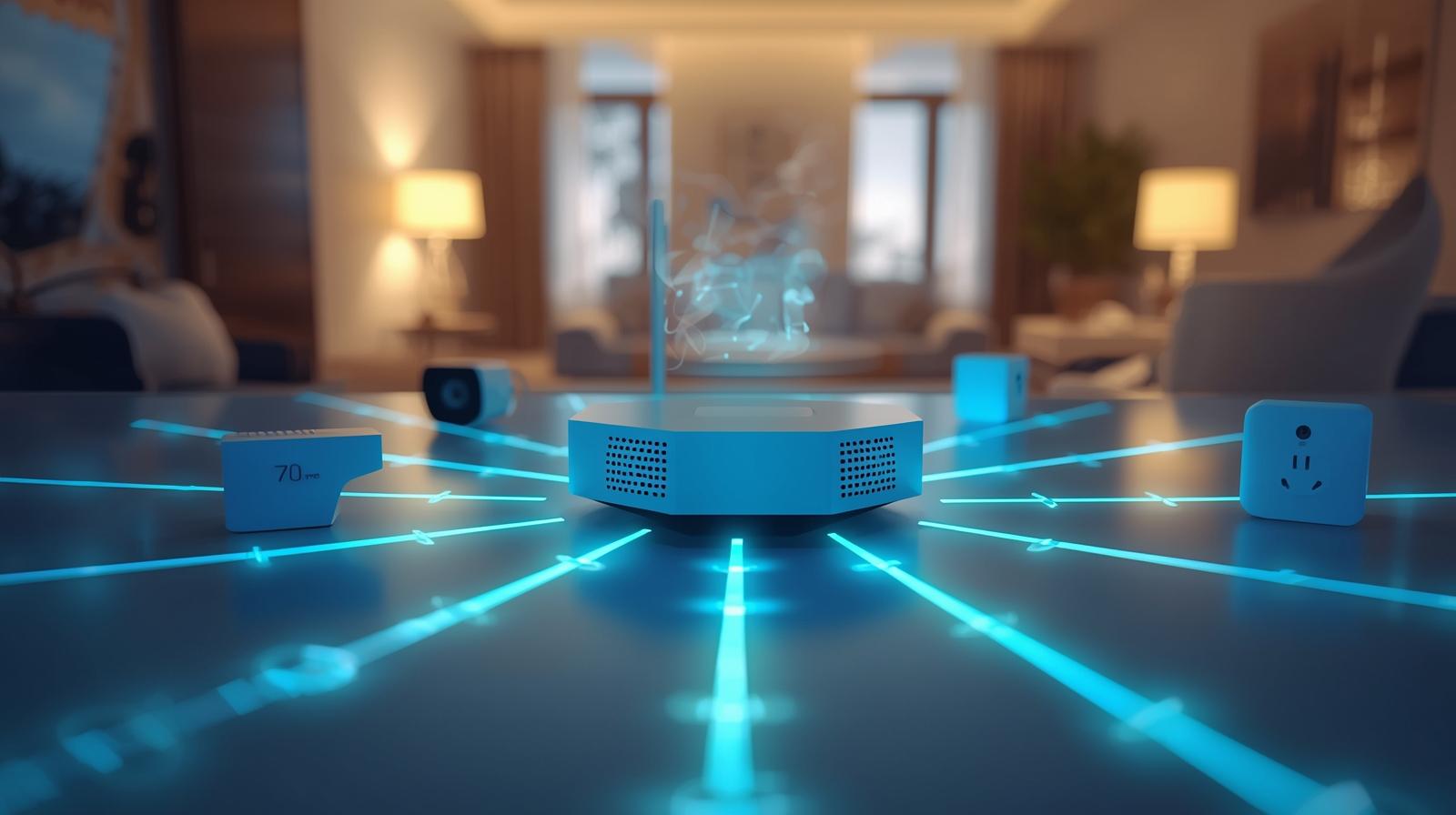
Here is the thing most people miss: Matter uses a few different 'roads' to send its messages. In 2026, the two most important ones are Wi-Fi and Thread. Understanding the difference will save you a lot of headaches when you are setting up your system.
🏆 Our Top Picks
Apple HomePod (2nd Generation)
The gold standard for a Matter controller and Thread Border Router. It offers incredible sound quality and features built-in temperature and humidity sensors that feed directly into your Matter automations. Best for users already in the Apple ecosystem who want a premium, privacy-focused hub.
Check Price on Amazon →Eve Energy Smart Plug (Matter)
A rock-solid smart plug that uses Matter over Thread for near-instant response times. It includes detailed energy monitoring features that are now fully supported in the latest Matter updates. The only downside is its slightly bulky design which can crowd some outlets.
Check Price on Amazon →Aqara Hub M3
The ultimate 'bridge' for the Matter era. It supports Zigbee, Infrared, and Matter, allowing you to bring older devices into a modern setup. It also acts as a Thread Border Router and can function as a local controller for Aqara devices even if the internet goes down.
Check Price on Amazon →Nanoleaf Essentials Matter Smart Bulb
An affordable and vibrant A19 bulb that uses Thread for a stable connection. It supports millions of colors and is one of the fastest-responding bulbs on the market thanks to native Matter support. Note that it requires a Thread Border Router to reach its full potential.
Check Price on Amazon →Google Nest Hub (2nd Gen)
An excellent budget-friendly Matter controller with a screen. It serves as a great visual dashboard for all your Matter devices and acts as a Thread Border Router. The screen is helpful for checking cameras, though the speaker quality is average compared to the HomePod.
Check Price on Amazon →Wi-Fi vs. Thread
Matter devices usually connect in one of two ways. High-bandwidth devices, like smart cameras or video doorbells, use Wi-Fi. They need to move a lot of data quickly, and they usually have a constant power source. They are fast, but they can be power-hungry.
Then there is Thread. This is the secret sauce of the modern smart home. Thread is a low-power mesh network designed specifically for small devices like light bulbs, door sensors, and plugs. Instead of every device talking directly to your router, Thread devices talk to each other. If one bulb is too far from the hub, it just passes the signal through the bulb next to it.
The Role of the Border Router
To make this all work, you need a 'Border Router.' This sounds technical, but you probably already own one. Many modern smart speakers, mesh Wi-Fi routers, and even some high-end TVs now act as Matter Border Routers. They bridge the gap between your Thread devices and your home Wi-Fi network.
| Feature | Wi-Fi (Matter) | Thread (Matter) |
|---|---|---|
| Power Usage | High | Very Low |
| Data Speed | Fast (Video/Audio) | Slow (Commands) |
| Network Type | Star (to Router) | Mesh (Device to Device) |
| Best For | Cameras, Displays | Sensors, Bulbs, Locks |
The Killer Feature: Multi-Admin
In my experience, the 'Multi-Admin' feature is the real reason Matter won the smart home war. In the old days, if you set up a device in the Apple Home app, it was stuck there. If your partner used an Android phone, they were out of luck. They had to download a separate app or you had to set up a complex bridge.
With Matter, you can share a device across multiple ecosystems simultaneously. You can control your living room lights with Siri on your iPhone, while your roommate uses Google Assistant on their Pixel. Neither one 'owns' the device; they both just talk to it. This flexibility is what makes a smart home feel like a home rather than a tech project.
Local Control and Privacy
What most people miss about Matter is that it is local. When you tell your smart speaker to turn off the lights, the command doesn't have to travel to a server in Virginia or Singapore and back. It stays inside your house. This makes the response time incredibly fast—usually under 100 milliseconds.
It also means your privacy is protected. If your internet goes down, your smart home keeps working. Your data isn't being harvested by a dozen different cloud providers just to toggle a switch. In 2026, where data privacy is a massive concern, this local-first approach is a huge win for the consumer.
What Can Matter Do in 2026?
When Matter first launched, it was limited to basic stuff like lights and plugs. But as of February 2026, the protocol has expanded to cover almost everything in your house. We are now seeing deep integration for devices that used to be completely isolated.
Advanced Energy Management
The latest versions of Matter now support solar inverters, EV chargers, and large appliances. Your smart home can now coordinate with your electric car to charge only when your solar panels are producing excess energy. Your dishwasher can wait to run until electricity rates are at their lowest. This isn't just convenient; it saves real money.
Ambient Sensing and Presence
We have moved beyond simple motion sensors. Matter now supports advanced presence sensing, including mmWave radar. This allows your home to know if you are sitting still on the couch reading a book, rather than just assuming the room is empty because you aren't moving. The lights stay on, and the temperature stays perfect, without you lifting a finger.
Smart Appliances
Your fridge, oven, and laundry machine are now part of the conversation. Matter allows these devices to send standardized notifications. Your TV can pop up a message saying the laundry is done, regardless of whether the TV is a Sony and the washer is an LG. This level of cross-brand communication was impossible just a few years ago.
The Reality Check: What Still Isn't Perfect
I am not going to tell you that Matter is perfect. Even in 2026, there are some growing pains. The biggest issue is 'feature parity.' While Matter handles the basics (on/off, dimming, color) perfectly, some manufacturers still keep their 'special' features locked in their own apps.
For example, a high-end smart light might have a special 'flicker like a candle' mode. Matter might not support that specific animation yet. To use it, you might still need to open the manufacturer's app. However, for 95 percent of daily use, you will never need to leave your primary smart home app.
The Legacy Device Problem
If you have a house full of old Zigbee or Z-Wave devices, they won't magically become Matter devices. You will need a bridge. Companies like Aqara and Philips Hue have released bridges that bring their old tech into the Matter world. It works well, but it is an extra piece of hardware to plug in. If you are starting fresh today, always look for native Matter support.
How to Build Your Matter Home
If you are ready to dive in, don't overthink it. Start with a solid foundation. You need a controller—something that stays powered on and connected to your network. This is usually a smart speaker or a hub. Once you have that, look for the Matter logo on everything you buy.
In my experience, the best way to expand is room by room. Start with the lighting. It provides the most immediate 'wow' factor. Then move to sensors for automation, and finally, look at energy management. By the time you are done, your home won't just be 'smart'—it will be unified.
Final Thoughts
Matter has finally delivered on the promise of the smart home. It took a long time to get here, and the industry had to set aside some massive egos to make it happen. But the result is a world where technology serves us, rather than making us work for it. If you have been waiting for the 'right time' to automate your home, that time is now.
Frequently Asked Questions
Do I need a new router for Matter?
Not necessarily. While your existing Wi-Fi router will work for Wi-Fi-based Matter devices, you will need a Matter Border Router (like a HomePod, Nest Hub, or specific mesh systems) to connect Thread-based devices.
Does Matter work without internet?
Yes. One of Matter's biggest strengths is local control. Once set up, your devices communicate directly over your home network, so they will continue to work even if your ISP has an outage.
Can I use my old Zigbee devices with Matter?
Only if you use a Matter bridge. Many brands like Philips Hue and Aqara have updated their hubs to act as bridges, which 'translates' your old Zigbee devices so they appear as Matter devices in your apps.