 By Sophia Rivera
Our Editorial Research & Methodology
The Reality of Finding a Cheap Thermostat for a Heat Pump
If you have a heat pump, you already know it is a different beast than a standard furnace. It is efficient, it is clever, and it can be a total pain to control if you buy the wrong thermostat. Most people think they can just grab the cheapest $20 plastic box from the hardware store and call it a day. If you do that with a heat pump, you are going to have a bad time. Specifically, you might end up running your expensive auxiliary heat strips when you do not need to, which is like burning dollar bills to stay warm.
In my experience, the goal is not just to find the lowest price tag. The goal is to find the lowest price tag that actually understands how to manage a heat pump reversing valve and staging. By April 2026, the market has shifted. We have seen a massive influx of Matter-enabled devices that have driven prices down while keeping features high. You can now get a truly smart, energy-saving device for less than the cost of a nice dinner out.
Why Heat Pumps Are Picky
Heat pumps do not just turn on and blow hot air. They move heat from outside to inside. When it gets too cold for the pump to keep up, the system kicks on 'Auxiliary Heat' or 'Emergency Heat.' These are usually electric coils that eat electricity like a hungry teenager. A cheap, dumb thermostat often triggers these coils too early. A smart thermostat uses local weather data and algorithm-based staging to keep those coils off as long as possible. That is where the real savings happen.
Top Budget Contenders for 2026
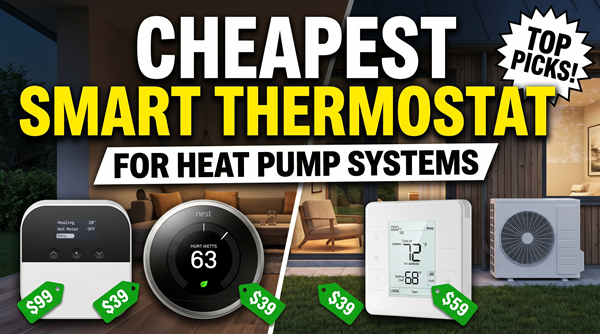
I have spent the last few months looking at the data, reading the teardowns, and talking to HVAC techs who actually install these things. Here is the breakdown of the best budget-friendly options that won't kill your heat pump's efficiency.
🏆 Our Top Picks
Amazon Smart Thermostat
The most affordable entry point into smart climate control. It uses Honeywell Home technology for reliable HVAC switching and integrates perfectly with Alexa for energy-saving routines. Ideal for those on a strict budget who already have Echo devices.
Check Price on Amazon →Wyze Thermostat with C-Wire Adapter
A high-end look at a budget price. It includes a C-wire adapter in the box, making it the best value for older homes without a common wire. Its app interface is intuitive and specifically designed for easy heat pump configuration.
Check Price on Amazon →Honeywell Home T5+ Smart Thermostat (RCHT8612WF)
A reliable workhorse from a brand that HVAC pros trust. It doesn't have the flashy touchscreens of more expensive models, but its staging logic for heat pumps is rock solid and it handles dual-fuel systems better than most budget rivals.
Check Price on Amazon →Ecobee3 Lite Smart Thermostat
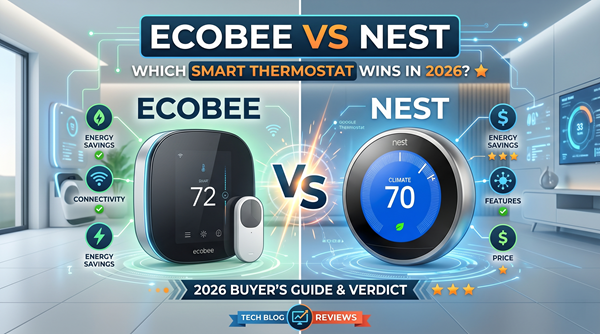
While slightly more expensive than the absolute cheapest options, it offers superior heat pump optimization. It can use weather data to determine when to lock out the auxiliary heat, saving you significantly more on your monthly bill than cheaper competitors.
Check Price on Amazon →The Amazon Smart Thermostat
This is currently the floor for pricing. Amazon partnered with Resideo (the folks behind Honeywell) to build this. It is basic, but it is reliable. It uses the Alexa app for everything, so if you are already in that ecosystem, it is a no-brainer. The big win here is the price-to-performance ratio. It handles heat pump staging surprisingly well for a device that often goes on sale for under $60.
The Catch: You absolutely must have a C-wire (Common wire). If your old thermostat only has two or four wires, you will need to buy a power adapter kit, which adds to the cost and the installation headache.
Wyze Thermostat
Wyze has always been the king of the 'cheap but good' category. Their thermostat is sleek and looks much more expensive than it is. What I love about the Wyze for heat pump owners is the setup process. The app walks you through the O/B wire configuration (that is the wire that tells your heat pump whether to heat or cool) better than almost any other budget app.
The Catch: The long-term software support can be hit or miss. Wyze moves fast, and sometimes older hardware gets left behind in terms of new features.
Comparison of Budget Smart Thermostats
| Model | Estimated Price | C-Wire Required? | Matter Support | Best For |
|---|---|---|---|---|
| Amazon Smart | $55 - $80 | Yes | Yes (via Alexa) | Alexa Users |
| Wyze Thermostat | $70 - $90 | Yes (Adapter Incl.) | No | DIY Beginners |
| Honeywell T5+ | $90 - $110 | Yes | No | Reliability Seekers |
| Ecobee3 Lite | $120 - $140 | Yes (Adapter Incl.) | Yes | Maximum Savings |
The Hidden Cost: The C-Wire Issue
Here is something most marketing materials hide in the fine print. Smart thermostats need constant power to stay connected to your Wi-Fi. Old-school thermostats just ran on AA batteries. This power comes from the C-wire. If you pull your old thermostat off the wall and see a bunch of wires but no 'C,' you have a problem.
Most of the 'cheapest' options require this wire. If you do not have it, you have three choices: 1. Pull a new wire (expensive/hard). 2. Buy a Power Extender Kit (PEK). 3. Buy a more expensive thermostat like the Nest Learning Thermostat that claims to work without one (though I still recommend a C-wire for heat pumps to avoid 'power stealing' issues that can chatter your compressor).
How to Check Your Wiring
Before you buy anything, pop your current thermostat off its baseplate. Look for the labels on the wire terminals. If you see R, Y, G, and O/B, you have a heat pump. If you also see a C, you are golden. If not, look for a spare wire tucked back in the wall. Sometimes installers pull a 5-wire cable but only use four. Finding that hidden wire is like finding a twenty-dollar bill in your winter coat.
Why You Should Not Buy the Absolute Cheapest Option
I know this article is about the cheapest options, but I have to be honest with you. There are 'smart' thermostats on discount sites for $30. Avoid them like the plague. These generic devices often have terrible relays. A relay is the physical switch that turns your heat pump on. Cheap relays can 'stick,' which means your heat pump might stay on until your house is 90 degrees, or worse, it could short-cycle your compressor. Replacing a compressor costs $3,000. Saving $40 on a thermostat is not worth that risk.
The Importance of O/B Terminal Logic
Heat pumps use a reversing valve to switch between heating and cooling. Some brands (like Rheem and Ruud) energize the valve in heat mode. Most others (like Carrier or Trane) energize it in cooling. A good budget thermostat lets you toggle this in the settings. The ultra-cheap generic ones often get this wrong, leading to a situation where your AC blows hot air and your heater blows cold. Stick to the brands listed here to avoid that nightmare.
Maximizing Your Savings in 2026
Buying the thermostat is only half the battle. To actually get your money back, you need to use the features. In 2026, most utility companies offer 'Demand Response' programs. They will actually pay you—sometimes $50 to $100 a year—to let them slightly adjust your temperature during peak grid stress. If you combine a $60 Amazon thermostat with a $50 utility rebate, the device is basically free.
Geofencing: The Real MVP
Most budget smart thermostats now include geofencing. This uses your phone's GPS to know when you leave the house. For a heat pump, this is better than a rigid schedule. If you are stuck at work late, the thermostat stays in eco-mode. When you start driving home, it kicks the heat pump on so the house is comfortable when you walk in. This prevents the 'recovery' period where a heat pump might struggle to raise the temp 5 degrees quickly, which often triggers the expensive auxiliary heat.
Installation Tips for Heat Pump Owners
Installing a thermostat is a 30-minute job, but with a heat pump, you have to be careful. Always turn off the breaker to your indoor air handler and your outdoor unit first. If you touch the R wire to the C wire by accident, you will blow a tiny purple 3-amp or 5-amp fuse inside your furnace. It is a $2 part, but it will shut your whole system down and leave you sweating or shivering until you replace it.
- Take a photo of your old wiring before you disconnect anything.
- Label the wires with the stickers provided in the box.
- Ensure the O/B wire is seated firmly; this is the most common failure point for heat pump DIY installs.
- Set your 'deadband' or 'temperature swing' to at least 2 degrees. This prevents the heat pump from turning on and off too frequently, which extends the life of your equipment.
Final Thoughts on Value
If you want the absolute cheapest path that actually works, go with the Amazon Smart Thermostat. If you want the best interface and a slightly easier install, the Wyze is your winner. But if you can swing an extra $30, the Ecobee3 Lite is the 'pro' choice because its heat pump optimization logic is significantly more advanced than the others. It treats your heat pump with more respect, and in the long run, that saves more than the initial purchase price.
Frequently Asked Questions
Will a cheap smart thermostat work with my heat pump's emergency heat?
Yes, as long as it has a 'W2' or 'Aux' terminal. All the models recommended here support auxiliary and emergency heat stages, which are critical for heat pump systems in cold climates.
Do I really need a C-wire for a budget thermostat?
Almost always, yes. Heat pumps require more frequent communication between the thermostat and the unit. While some 'power-stealing' models exist, they often cause issues with heat pump relays. Using a C-wire or a Power C-wire Adapter is the only way to ensure stability.
Can I install a smart thermostat on a heat pump myself?
Yes, it is a common DIY project. However, you must identify your O/B wire correctly. If you misconfigure this, your system will blow cold air when you want heat. Always follow the app-based wiring guides provided by the manufacturer.