 By James Carter
Our Editorial Research & Methodology
Why Oil Boilers and Smart Thermostats Are a Tricky Match
If you are heating your home with oil, you already know it is a different beast. It is powerful, it is reliable, and let is be honest, it is getting more expensive by the day. Most people think smart thermostats are only for modern gas furnaces or heat pumps. That is a myth. You can absolutely put your oil boiler on your WiFi network, but you cannot just grab any box off the shelf and hope for the best.
Oil systems often use older wiring standards. While a modern gas furnace might have a bundle of five or six wires running to the wall, many oil boilers are running on a simple two-wire setup. This is what we call a "dry contact" or a simple switch. When those two wires touch, the boiler fires up. When they part, it stops. The problem? Smart thermostats are essentially mini-computers with glowing screens and WiFi radios. They need constant power to stay alive, and those two old wires usually do not provide it.
In my experience, the biggest hurdle is not the boiler itself; it is the power delivery. By 2026, we have seen Matter and Thread protocols become the standard, making the software side of things easier than ever. But the physical copper in your walls? That has not changed since the house was built. We are going to look at how to bridge that gap without calling an electrician for a thousand-dollar rewiring job.
Solving the Infamous C-Wire Headache
The "C-wire" or Common wire is the holy grail of smart thermostat installation. It provides a continuous return path for electricity, allowing the thermostat to stay powered without draining its internal battery or "stealing" power from the heating circuit. If you pull your old thermostat off the wall and see only two wires (usually Red and White), you do not have a C-wire.
🏆 Our Top Picks
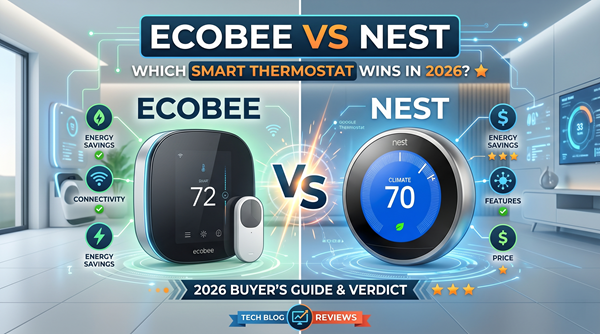
Ecobee Smart Thermostat Premium
This is the gold standard for oil systems. It includes a Power Extender Kit for homes without a C-wire and allows for manual adjustment of staging and thresholds, which is critical for preventing oil burner short-cycling. The built-in air quality monitor and zinc construction make it feel like a premium upgrade.
Check Price on Amazon →Google Nest Learning Thermostat (4th Gen)
The 4th Gen model features full Matter support and a stunning borderless display. It is excellent at learning the slow heat-up times of cast iron radiators common in oil-heated homes. Note that you should pair it with the Nest Power Connector if you lack a C-wire to avoid power-cycling issues.
Check Price on Amazon →Honeywell Home T9 Smart Thermostat
Honeywell has been in the oil heat game longer than anyone. The T9 is robust and comes with a C-wire adapter in the box. Its remote sensors are the best in the business, using LoRa technology to reach across large, older homes where WiFi might struggle to penetrate thick walls.
Check Price on Amazon →Emerson Sensi Touch 2 Smart Thermostat
If you want a thermostat that looks like a traditional control but has modern brains, this is it. It has a very high compatibility rate with older wiring and the app is incredibly straightforward. It is a great choice for DIYers who want a simple, reliable connection to their oil boiler without a steep learning curve.
Check Price on Amazon →Here is the thing: you have three real options to fix this. First, you can use a Power Extender Kit (PEK). Many high-end thermostats like the Ecobee include these in the box. They allow you to use your existing four wires to act like five. But what if you only have two? That leads us to option two: an external 24V transformer. You plug this into a nearby wall outlet and run the wires to the thermostat. It is a bit messy but works perfectly.
The third and most professional option for oil systems is a "Common Maker" or a specialized relay. Devices like the Fast-Stat Common Maker allow you to send the signal and the power over the existing two wires. It is a lifesaver for old New England homes where fishing new wire through horsehair plaster walls is a nightmare. What most people miss is that oil boilers usually have a 24V transformer inside the primary control (that gray or black box on the burner). You can often tap into that if you know where to look.
Low Voltage vs. Line Voltage: Don't Fry Your Gear
Before you buy anything, you must confirm your voltage. Most oil boilers in North America use 24V AC controls. This is "low voltage." However, some very old systems or specific electric-to-oil conversions use "line voltage," which is 120V or 240V. If you connect a Nest or an Ecobee to a 120V system, it will literally smell like smoke within seconds.
How do you tell the difference? Look at the wires. If they are thin, like doorbell wires or phone lines, you are likely on a 24V system. If they are thick, like the wires going to your wall outlets, and are capped with wire nuts, you have a line voltage system. For line voltage, you need a specific thermostat like a Mysa, though these are rarer for boilers than for baseboard heaters. Most oil boilers use a relay (like a Honeywell R845A) to switch the burner, which means the thermostat side is almost always low voltage.
Understanding the Primary Control
The heart of your oil system is the primary control. In 2026, many homes have upgraded to digital primary controls like the Honeywell R7284. These are great because they have a digital display that tells you exactly why the boiler isn't firing. If you are installing a smart thermostat, this is where you will likely be making your connections. The terminals labeled "T" and "T" are where your thermostat wires go. It does not matter which wire goes to which "T" because it is just a loop.
The Best WiFi Thermostats for Oil Systems in 2026
Not all smart thermostats handle the "swing" of an oil boiler well. Oil heat is slow. It takes time for the cast iron sections to heat up and time for the radiators to cool down. You want a thermostat that understands this lag so you do not end up with "short cycling," which kills your efficiency and soots up your burner.
| Model | Best For | C-Wire Solution | Matter Support |
|---|---|---|---|
| Ecobee Smart Thermostat Premium | Overall Performance | PEK Included | Yes |
| Nest Learning Thermostat (4th Gen) | Hands-off Users | Power Connector Sold Separately | Yes |
| Honeywell Home T9 | Large Homes | C-Wire Adapter Included | Yes |
| Emerson Sensi Touch 2 | DIY Simplicity | Requires C-Wire | Yes |
The Ecobee remains the king for oil systems because of its granular control. You can actually set the "thresholds" manually. For example, you can tell the thermostat not to fire the boiler unless the temperature drops at least 1.5 degrees. This prevents the burner from kicking on for 30 seconds just to nudge the temp up a tiny bit, which is a huge waste of oil.
Advanced Settings to Save Your Heating Bill
Once you have the hardware on the wall, the real work begins in the app. Most people leave their smart thermostat on factory settings, which is a mistake for oil heat. You need to dive into the installer settings. Look for a setting called "Cycle Rate" or "CPH" (Cycles Per Hour). For an oil boiler, you generally want this set to 3. This tells the system to aim for three heating cycles per hour, which is the sweet spot for efficiency and comfort.
Another trick is managing your "recovery time." If you set your heat to 62 at night and 68 in the morning, a smart thermostat will start the boiler early so it is 68 by 7:00 AM. With oil, this can be a long process. Use the "Smart Recovery" features to let the AI figure out exactly when to fire the burner based on the outdoor temperature. In 2026, these algorithms are incredibly precise, often pulling local weather data via Matter-enabled outdoor sensors to predict how hard the boiler needs to work.
Geofencing and Oil Savings
Geofencing is a game changer for oil users. Since oil is often delivered by truck and paid for by the gallon, every drop counts. Geofencing uses your phone's location to drop the temperature when you leave the house and raise it when you are five miles from home. Unlike a fixed schedule, this adapts to your life. If you stay late at work, the boiler stays off. This alone can cut your oil consumption by 10 to 15 percent annually.
Step-by-Step: Connecting Your Boiler to the Cloud
Ready to do this? Here is the workflow I use when I am out in the field. First, turn off the power. I don't mean the thermostat; I mean the emergency switch (usually a red plate) at the top of the cellar stairs. If you short out the wires while the power is on, you will blow a tiny purple fuse inside the boiler control, and you will be sitting in the dark until you find a replacement.
- Label your wires: Take a photo of the old wiring. Even if there are only two, know which one went to R and which to W.
- Check for a hidden C-wire: Sometimes there is an extra wire tucked back in the wall that was never used. If you find one, you hit the jackpot.
- Install the backplate: Level it up. Use the built-in level if your thermostat has one. A crooked thermostat is the mark of an amateur.
- Connect the wires: If you are using a C-wire adapter at the boiler, follow the diagram carefully. You will be connecting to the 24V transformer terminals, usually labeled C and R.
- Power up and Configure: Turn the red switch back on. Follow the on-screen prompts. When it asks what kind of heat you have, select "Oil" and "Boiler" (not furnace). This ensures the software knows it is controlling hot water or steam, not hot air.
The Future of Oil Heat Management
As we move through 2026, the integration between your thermostat and your oil tank is getting tighter. Many smart thermostats now talk directly to smart oil gauges. Instead of just seeing the temperature, your thermostat can alert you on-screen when your tank hits 25 percent. Some can even automatically trigger a delivery request to your local oil company if they have a compatible API.
We are also seeing the rise of "Hybrid" logic. If you have a heat pump mini-split for cooling and an oil boiler for backup, modern WiFi thermostats can manage the "switchover point." They will use the heat pump when it is 40 degrees outside but automatically switch to the oil boiler when the temperature plunges to 10 degrees and the heat pump loses efficiency. This is the ultimate way to save money while staying toasty.
Maintenance Matters
A smart thermostat cannot fix a dirty boiler. You still need your annual tune-up. In fact, a smart thermostat might even tell you when your boiler is struggling. If the app shows the heat has been running for three hours and the temperature has only moved one degree, that is a red flag. It is time to check the nozzle, the filter, and the heat exchanger. Think of your WiFi thermostat as a health monitor for your entire heating system.
Frequently Asked Questions
Can I use a Nest thermostat with only two wires on an oil boiler?
Technically yes, but it is not recommended. Nest can 'power steal,' but this often causes oil burners to 'chatter' or click on and off rapidly. It is much better to use a Nest Power Connector or an external 24V transformer.
What is the best cycle rate for an oil boiler?
For most hot water oil systems, 3 cycles per hour (CPH) is ideal. This prevents the burner from firing too often while maintaining a steady temperature in the radiators.
Will a WiFi thermostat work if my internet goes out?
Yes. Your thermostat will still control your boiler based on the last schedule or manual setting. You just won't be able to control it from your phone until the WiFi returns.