 By Michael Thompson
Our Editorial Research & Methodology
The Renter’s Dilemma: Smart Tech Without the Security Deposit Risk
Living in an apartment usually means you are stuck with whatever hardware your landlord picked out in 2012. You want the convenience of a smart home, but you cannot exactly start tearing open walls to run Cat6 cable or swap out the entire HVAC system. I have been there. I have lived in three different rentals in the last five years, and I have learned that the best smart home setup for apartments is not about what you can build—it is about what you can take with you when you leave.
In 2026, the landscape has changed. We are no longer fighting the 'format wars' of the early 2020s. Thanks to the maturity of Matter and Thread, your devices actually talk to each other now. But the physical constraints of an apartment remain. You need tech that is non-destructive, easy to remove, and powerful enough to handle the interference of forty other Wi-Fi networks screaming through your walls.
The Golden Rule: Retrofit Over Replace
If you take one thing away from this, let it be this: always look for 'retrofit' solutions. A retrofit device sits on top of your existing hardware. Think of a smart lock that only replaces the interior thumbturn, or a smart switch that physically pushes your existing toggle. These are your best friends because they leave zero trace when you move out. No spackle, no paint, no angry emails from the property manager.
Choosing Your Brain: The Ecosystem Debate
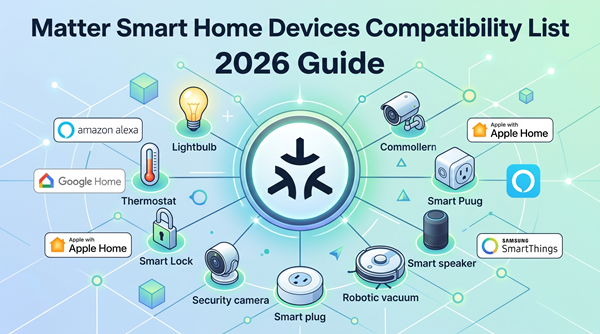
Before you buy a single bulb, you need to pick a 'brain.' In 2026, this usually means choosing between Apple Home, Google Home, or Amazon Alexa. While Home Assistant is great for the hardcore tinkerers, most apartment dwellers want something that just works. Here is the breakdown of how these ecosystems handle apartment life.
🏆 Our Top Picks
August Wi-Fi Smart Lock (4th Generation)
The ultimate renter-friendly lock. It attaches to your existing deadbolt on the inside of the door, meaning you don't have to change your keys or give the landlord a new one. It features built-in Wi-Fi for remote access and auto-unlocks as you approach the door.
Check Price on Amazon →Philips Hue Bridge and White & Color Ambiance Starter Kit
The gold standard for apartment lighting. Because it uses a dedicated Zigbee bridge, it won't clog your Wi-Fi network. The bulbs offer millions of colors and the best dimming range in the industry, perfect for creating 'zones' in a studio apartment.
Check Price on Amazon →Nanoleaf Essentials Matter Smart Bulb
A budget-friendly, future-proof bulb that supports the Matter protocol over Thread. It is incredibly fast to respond and doesn't require a proprietary hub if you already have a HomePod or Nest Hub. Great for renters who want to start small.
Check Price on Amazon →TP-Link Deco BE85 Wi-Fi 7 Mesh System
Essential for 2026 apartment living. This Wi-Fi 7 system uses the 6GHz band to bypass neighbor interference and provides a massive backhaul for all your smart devices. It ensures that your smart home stays connected even in 'noisy' RF environments.
Check Price on Amazon →SwitchBot Curtain 3
A clever robot that hangs on your existing curtain rod and slides your curtains open or closed. It requires zero tools for installation and can be charged via a small solar panel. Perfect for automating morning light without replacing your window treatments.
Check Price on Amazon →Apple Home and HomePod
If you use an iPhone, this is often the cleanest choice. Apple’s focus on local control means your lights turn on instantly because the command stays inside your four walls. In a crowded apartment building where the internet might lag during peak hours, local control is a lifesaver. Plus, the HomePod Mini acts as a Thread Border Router, which is essential for the low-power mesh network we will talk about later.
Amazon Alexa
Alexa still wins on sheer compatibility. If a device exists, it probably works with Alexa. The downside? It can feel a bit 'cluttered' with ads and suggestions. However, for a renter on a budget, the Echo Show 8 is a fantastic kitchen companion that doubles as a security screen for your doorbell camera.
Google Home
Google has made massive strides in automation 'scripts' lately. If you like the idea of your home reacting to your location or the time of day with high precision, Google is a strong contender. Their Nest Hubs are also the best digital photo frames on the market, which helps make a small apartment feel more personal.
Lighting: The Easiest Win for Renters
Lighting is the fastest way to change the vibe of a cramped studio. But do not just buy cheap Wi-Fi bulbs from a random brand. In an apartment building, the 2.4GHz Wi-Fi band is a war zone. If you have 20 smart bulbs all trying to talk to your router at once, your Netflix stream is going to suffer.
The Power of Zigbee and Thread
This is what most people miss: you want your lights on a separate network. Systems like Philips Hue use Zigbee, which uses a dedicated bridge. This keeps your Wi-Fi clear for your laptop and phone. Alternatively, newer Matter-over-Thread bulbs (like those from Nanoleaf) create a mesh network where each bulb strengthens the signal for the next one. It is faster, more reliable, and won't bog down your router.
Smart Switches for Renters?
You might think you can't have smart switches in a rental. Wrong. Look for 'button covers' or 'remote switches.' These are battery-powered remotes that magnetically snap over your existing wall switch. They keep guests from accidentally turning off the power to your smart bulbs, and they require zero wiring. It is a total game-changer for hallways and bathrooms.
Security Without the Drilling
Most landlords will not let you screw a Ring camera into the siding of the building. But you still want to know who is at the door. Here is how you handle security in an apartment.
Peephole Cameras
If your door has a standard peephole, you can replace it with a peephole camera. These are battery-powered and slide right through the existing hole. When you move, you just pop the old glass lens back in. It gives you a clear view of the hallway without violating your lease.
Contact Sensors
These are tiny, battery-powered sticks that tell you if a door or window is open. They use simple adhesive. I recommend putting them on your front door, your balcony slider, and even your liquor cabinet if you have roommates. In 2026, these sensors can trigger your lights to turn on the moment you walk in, making your 'Welcome Home' routine feel like magic.
Climate Control and Energy Savings
Apartment HVAC systems are notoriously basic. You usually get a 'dumb' thermostat that is either too hot or too cold. If your landlord allows it, swapping a thermostat is a 15-minute job. Just keep the old one in a box so you can swap it back later.
The Smart AC Controller
If you have a window AC unit or a 'split' system with a remote, you do not need to touch the wiring. A smart AC controller acts like a universal remote. It sits on your wall and sends IR signals to the AC. You can then control your temperature from your phone or set schedules. This can easily shave 20 percent off your electric bill in the summer.
The Connectivity Backbone: Why Wi-Fi 7 Matters
In 2026, your neighbor's router is your biggest enemy. Apartment buildings are packed with signal interference. If you are using the free router your ISP gave you, your smart home will be flaky. You need a Wi-Fi 7 mesh system. Wi-Fi 7 introduces 'Multi-Link Operation,' which allows devices to send data over multiple frequencies at once. This cuts through the noise of your neighbors' networks like a hot knife through butter.
| Feature | Wi-Fi 6/6E | Wi-Fi 7 (2026 Standard) | Thread/Matter |
|---|---|---|---|
| Interference Handling | Moderate | Excellent | Superior (Mesh) |
| Setup Difficulty | Easy | Easy | Plug-and-Play |
| Best For | General Use | High-Density Apartments | Smart Home Devices |
| Battery Life | Low | Moderate | High |
Automation Recipes for Small Spaces
A smart home is not just about remote control; it is about automation. Here are three 'recipes' that work perfectly for apartment dwellers:
- The 'Good Morning' Routine: At 7:00 AM, your bedroom lights slowly brighten to a warm orange, the smart plug on your coffee maker turns on, and your smart blinds (yes, they make retrofit ones!) slide open.
- The 'Leaving Home' Routine: When your phone leaves the geofence of your building, all lights turn off, the AC goes into eco-mode, and your internal security camera arms itself.
- The 'Movie Night' Routine: One tap on a wireless button dims the living room lights, closes the curtains, and turns on your bias lighting behind the TV.
The Move-Out Strategy
When it is time to move, you do not want to spend three days uninstalling tech. Keep the original boxes for everything. I know, they take up space, but it makes packing so much easier. Label every 'dumb' switch and thermostat you removed so you know exactly where they go back. A well-organized smart home can be packed into two boxes and re-installed in your new place in under two hours.
Final Thoughts
Building the best smart home setup for an apartment is about being clever, not destructive. Focus on Matter-compatible devices, prioritize Thread for connectivity, and always keep your landlord's perspective in mind. You get the luxury of a high-tech home, and they get their apartment back exactly how they left it. It is a win-win.
Frequently Asked Questions
Will smart home devices slow down my apartment Wi-Fi?
Only if you use cheap Wi-Fi-based bulbs. By using a hub-based system (Zigbee) or Thread-enabled devices, you move the smart home traffic to a different frequency, keeping your Wi-Fi fast for streaming and gaming.
Can I install a smart lock if I don't own the door?
Yes, look for 'retrofit' smart locks like the August Wi-Fi Smart Lock. These only replace the interior part of your deadbolt, meaning the outside of the door looks exactly the same and your landlord's physical key still works.
What happens to my smart home if the internet goes out?
If you choose an ecosystem that supports local control (like Apple Home or Home Assistant) and use Matter/Thread devices, your automations and switches will continue to work even without an active internet connection.