 By Emily Zhang
Our Editorial Research & Methodology
The Reality of Smart Homes in 2026
Let's get one thing straight: your smart home shouldn't make your life harder. For years, we lived through the 'format wars' of home tech. You had to check if a lightbulb worked with Alexa, or if your thermostat could talk to your iPhone. It was a mess of bridge hubs and conflicting apps. In 2026, that headache is mostly gone, thanks to a standard called Matter. But even with better tech, starting out can feel like staring at a giant jigsaw puzzle without the box art.
I have seen people spend thousands on gadgets only to end up with a house that feels like a glitchy science experiment. The secret to a great smart home isn't buying the most expensive gear. It is about building a foundation that actually solves your daily annoyances. Whether it is never wondering if you locked the front door or having your coffee start when your feet hit the floor, automation should feel like an invisible assistant, not a part-time job.
The Foundation: Matter and Thread
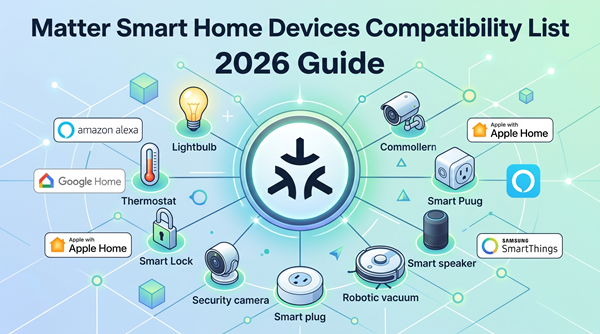
If you are starting today, you need to know two words: Matter and Thread. Think of Matter as the universal language for smart devices. If a device has the Matter logo, it will work with Apple Home, Google Home, and Amazon Alexa simultaneously. No more choosing sides. Thread is the 'highway' those devices use to talk to each other. It is a mesh network, meaning every plugged-in device (like a smart plug) acts as a signal booster. This makes your connection rock-solid without slowing down your Netflix stream.
| Protocol | Best For | Speed | Reliability |
|---|---|---|---|
| Wi-Fi | High-bandwidth (Cameras) | Fast | Moderate |
| Thread | Low-power (Sensors, Lights) | Instant | High |
| Bluetooth | Initial Setup Only | Slow | Low |
Step 1: Choose Your Brain
Every smart home needs a 'brain' or a primary interface. In my experience, you should pick the one that matches the phone in your pocket. If you use an iPhone, Apple Home is the most private and integrated. If you are an Android user, Google Home is incredibly proactive. Amazon Alexa remains the king of compatibility and sheer variety of hardware. Here is the thing: you don't need to be a programmer. Modern hubs are plug-and-play. You just need one central device—like a smart speaker or a dedicated tablet—to act as the 'Home Hub' so you can control things when you are away from the house.
Step 2: Lighting is the Gateway Drug
Most people start with smart bulbs, and for good reason. It is the most immediate 'wow' factor. But here is what most people miss: don't just buy color-changing bulbs for the sake of a party trick. Use them for 'Circadian Lighting.' This means your lights are bright and cool-toned in the morning to wake you up, and they automatically shift to a warm, dim amber in the evening to help your brain produce melatonin. It is a game-changer for your sleep quality.
If you have a room with many bulbs, like a chandelier, don't buy ten smart bulbs. Buy one smart light switch. It is cheaper, and it prevents the 'dumb switch' problem—where someone flips the wall switch and kills the power to your smart bulbs, making them unreachable by your phone.
Step 3: Climate and Energy Savings
This is where the smart home pays for itself. A smart thermostat doesn't just let you change the temp from bed. It uses sensors to know if you are actually in the room. Why heat the guest bedroom if nobody has been in there for three days? In 2026, these devices are smart enough to look at the weather forecast and your local utility rates. They can pre-cool your house ten minutes before a 'peak pricing' window hits, saving you a decent chunk of change on your monthly bill.
Step 4: Security Without the Paranoia
Smart security has moved beyond just cameras. We now have smart locks that unlock via the chip in your watch or phone as you walk up—no keys required. What I love about modern security is 'conditional access.' You can give your dog walker a digital key that only works between 1:00 PM and 2:00 PM on Tuesdays. You get a notification when they arrive and when they leave. It provides peace of mind without having to hand out physical keys that can be copied.
The Magic of Automations
An automation is simply an 'If This, Then That' instruction. Here are three real-world scenarios that actually make life better:
- The Goodnight Routine: One command locks the doors, turns off all lights, sets the thermostat to 68 degrees, and ensures the garage door is closed.
- The Leak Detector: A small $20 sensor under your kitchen sink detects water. It immediately sends a notification to your phone and shuts off the main water valve to prevent a flood.
- The Morning Gentle Wake: Instead of a blaring alarm, your bedroom lights slowly brighten over 20 minutes, and the blinds open halfway.
Common Pitfalls to Avoid
The biggest mistake I see is 'over-automation.' You don't need your toilet to be smart. You don't need a toaster that sends you a push notification. Keep it functional. Another trap is ignoring local control. If your internet goes down, can you still turn on your kitchen lights? Always ensure your core systems (lights and locks) have a physical backup or work over a local protocol like Thread so you aren't left in the dark during a Wi-Fi outage.
Privacy and Data in 2026
We have to talk about the elephant in the room: privacy. In 2026, 'Local Processing' is the gold standard. This means your voice commands and camera footage are analyzed inside your house, not on a server in another country. When buying devices, look for 'Edge AI' or 'Local Control' labels. This ensures that even if the manufacturer goes out of business, your house keeps working, and your data stays yours.
Final Thoughts for the Beginner
Start small. Buy a starter kit with a hub and two bulbs. Get used to the interface. Once you feel comfortable, add a smart plug for your coffee maker or a sensor for your front door. The goal is to build a home that anticipates your needs. When you reach the point where you stop thinking about the tech and just enjoy the convenience, you have won the smart home game.
🏆 Our Top Picks
Philips Hue Bridge and Smart Bulb Starter Kit
The gold standard for reliability. It uses Zigbee/Matter to ensure your lights never flicker or drop connection. Best for those who want perfect dimming and 'Circadian' lighting presets. One downside is the higher price point compared to generic Wi-Fi bulbs.
Check Price on Amazon →Ecobee Smart Thermostat Premium
This unit includes a built-in air quality monitor and a remote room sensor to eliminate cold spots. It integrates perfectly with all major platforms and features a zinc body that looks great on the wall. The only catch is it requires a C-wire for power in most homes.
Check Price on Amazon →Aqara U100 Smart Lock
A versatile lock that supports Apple Home Key, allowing you to tap your watch to enter. It includes a fingerprint scanner and a physical key backup. It is ideal for families who want multiple ways to enter. It does require an Aqara hub for full remote features.
Check Price on Amazon →TP-Link Kasa Matter Smart Plug (KP125M)
The most affordable way to make 'dumb' appliances smart. It supports Matter, meaning it works with any ecosystem instantly. It also includes energy monitoring so you can see exactly how much power your space heater is using. It is a bit bulky and might block the second outlet.
Check Price on Amazon →Frequently Asked Questions
Do I need a hub for every brand of device?
No. With the Matter standard, one compatible hub (like a HomePod or Nest Hub) can control devices from many different brands, eliminating the need for multiple 'bridges'.
What happens if my Wi-Fi goes out?
If you use Thread-based devices, your local automations and switches will still work. However, you will lose the ability to control them remotely via your phone until the internet returns.
Is smart home tech expensive to maintain?
Beyond the initial purchase, maintenance is low. Most devices receive free software updates. The main 'cost' is occasionally replacing batteries in wireless sensors every 1-2 years.