 By Natalie Chen
Our Editorial Research & Methodology
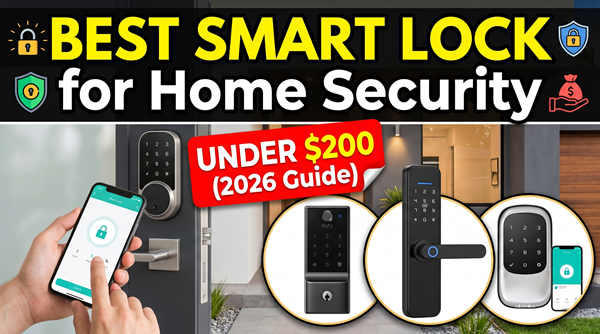
The $200 Sweet Spot for Home Security
Look, you do not need to drop $500 to keep your front door secure. By 2026, the technology inside smart locks has matured so much that the gap between a mid-range lock and a luxury one is thinner than ever. You are mostly paying for fancy finishes or brand names once you cross that $200 line.
In my experience, the best smart lock for home security under $200 is one that balances three things: physical toughness, reliable software, and a battery that does not die every three weeks. We have moved past the days of glitchy apps and jammed motors. Today, we are looking at Matter-enabled devices that talk to your whole house without a struggle.
What most people miss is that a smart lock is still a lock. If the physical cylinder is cheap, the smartest software in the world won't stop a literal crowbar. That is why we are focusing on locks that meet high security standards while giving you the convenience of keyless entry.
Why 2026 is the Year of the Budget Smart Lock
We have finally hit a point where Thread and Matter 2.0 are standard. This means you no longer have to worry if a lock works with 'just' Alexa or 'just' Apple Home. Most of the locks on this list play nice with everything. Plus, biometric sensors—those fingerprint scanners that used to be hit-or-miss—are now lightning-fast and incredibly accurate even in the rain.
Understanding Security Ratings: ANSI and BHMA
Before you buy, you need to know about the grades. You will see 'Grade 1' or 'Grade 2' on the box. Here is the simple breakdown. Grade 1 is the strongest, usually meant for commercial buildings but great for homes. Grade 2 is the standard for most residential deadbolts. If a lock does not list its grade, be wary. It is likely a 'smart' gadget first and a 'lock' second.
🏆 Our Top Picks
Ultraloq U-Bolt Pro Matter
This is the Swiss Army knife of smart locks. It features a 360-degree fingerprint scanner, a physical keypad, and full Matter-over-Thread support. It is perfect for families who want multiple ways to enter and need a lock that integrates with any smart home platform.
Check Price on Amazon →August Wi-Fi Smart Lock (4th Generation)
The gold standard for renters and people who love their existing door hardware. It attaches to the inside of your door in minutes. While it uses Wi-Fi (which is harder on batteries), its auto-unlock feature is incredibly reliable as you approach the door.
Check Price on Amazon →Yale Approach Smart Lock with Wi-Fi
A slim, minimalist retrofit option that is significantly quieter than the competition. It supports Matter via a small plug-in bridge, making it a future-proof choice for those who want a subtle look without sacrificing high-end features.
Check Price on Amazon →SwitchBot Lock Pro
Known for its massive battery life and unique 'Keyless' design that fits over almost any existing deadbolt. It is an excellent choice for non-standard doors or those who want a lock that can go over a year without a battery swap.
Check Price on Amazon →Wyze Lock Bolt (Fingerprint Edition)
The best value for those on a strict budget. It skips the Wi-Fi to save money and battery, focusing instead on a lightning-fast fingerprint sensor and local code storage. It is ideal for those who don't care about remote access but want keyless convenience.
Check Price on Amazon →In this price bracket, you should aim for at least Grade 2. This ensures the lock can withstand a certain amount of force and thousands of cycles of locking and unlocking. I always tell my friends: do not trade a solid steel bolt for a cool-looking touchscreen if the bolt itself is made of pot metal.
The Connectivity Choice: Wi-Fi vs. Thread vs. Bluetooth
How your lock talks to your phone matters more than you think. Here is the deal with the three main types you will find under $200:
- Wi-Fi: Easy to set up because it connects directly to your router. The downside? It eats batteries for breakfast. You will be changing them every 3 to 4 months.
- Bluetooth: Great for battery life, but you have to be near the door to use it. If you want to let a guest in while you are at work, you will need a separate 'bridge' or 'hub.'
- Thread: This is the gold standard in 2026. It is fast, uses very little power, and creates a mesh network in your home. If you have a HomePod or a newer Google Nest, look for a Thread-enabled lock.
The Retrofit vs. Full Replacement Debate
You have two main paths here. A retrofit lock (like the August or Yale Approach) only replaces the thumbturn on the inside of your door. You keep your existing keys and the outside of your door looks exactly the same. This is a lifesaver for renters.
A full replacement replaces everything. You get a new keypad or fingerprint scanner on the outside. These are generally more secure because the hardware is designed to work together, but they take a bit more work to install. If you own your home, go for the full replacement.
Top Smart Locks Under $200: Comparison Table
| Product | Type | Key Feature | Protocol |
|---|---|---|---|
| Ultraloq U-Bolt Pro | Full Replacement | Fingerprint + Matter | Thread/Wi-Fi |
| August Wi-Fi (4th Gen) | Retrofit | Easy Install | Wi-Fi |
| Yale Approach | Retrofit | Slim Design | Matter/Thread |
| SwitchBot Lock Pro | Retrofit | Massive Battery | Matter (with Hub) |
| Wyze Lock Bolt | Full Replacement | Budget King | Bluetooth |
The Reality of Biometrics
Fingerprint scanners are the biggest 'quality of life' upgrade you can get. Imagine walking up to your door with groceries in both hands and just tapping a sensor with your pinky. It feels like living in the future. In 2026, these sensors use capacitive technology, meaning they can tell the difference between a real finger and a photo or a silicone mold.
However, keep in mind that very dry skin or heavy scars can sometimes trip them up. I always recommend setting up at least two different fingers (one on each hand) just in case you have a bandage on your primary thumb. Most locks under $200 now store these fingerprints locally on the device, not in the cloud, which is a huge win for privacy.
Installation: What Could Go Wrong?
Most of these locks claim a '15-minute install.' For about 80 percent of people, that is true. For the other 20 percent, it is a nightmare. The biggest issue is door alignment. If you have to pull or push your door to get the deadbolt to turn manually, a smart lock will struggle. The motor will strain, the battery will die in a week, and eventually, the lock will jam.
Before you buy, make sure your door closes smoothly. If it doesn't, you might need to adjust your strike plate (the metal part on the door frame). It is a simple fix with a screwdriver, but it is the difference between a smart lock that works and one that leaves you stranded.
The 'Dead Battery' Fear
Every person I talk to asks the same thing: 'What happens if the battery dies while I am outside?' Manufacturers have thought of this. Most full-replacement locks have a hidden keyhole or a set of terminals on the bottom where you can touch a 9V battery to give it enough juice to let you in. Retrofit locks are even easier—you still have your original physical key as a backup.
Privacy and Hacking: The Elephant in the Room
Is someone going to hack your door? It is possible, but highly unlikely. Most 'hacks' you see in the news involve people using weak passwords or not using two-factor authentication on their accounts. The actual encryption used by brands like Yale, August, and Ultraloq is bank-grade.
In my experience, the bigger risk is physical security. A thief is much more likely to kick in a door or break a window than they are to sit on your porch with a laptop trying to crack your AES-128 encryption. Focus on getting a lock with a solid bolt and a long strike plate screw that goes deep into the wall stud.
Final Thoughts on Choosing Your Lock
If you want the best all-around experience, the Ultraloq U-Bolt Pro Matter is hard to beat. It does everything and fits right under that $200 ceiling. If you are a renter, the August Wi-Fi or Yale Approach are your best bets because you won't lose your security deposit for changing the locks.
Don't get distracted by features you don't need. You don't need a built-in camera if you already have a doorbell cam. You don't need a gold-plated finish. You need a lock that opens when you want it to and stays shut when you don't. Stick to the brands that have been doing this for a few years, and you will be just fine.
Frequently Asked Questions
Do I need a hub for a smart lock under $200?
It depends on the protocol. Wi-Fi locks connect directly to your router, but Thread-enabled locks require a Matter controller (like a HomePod, Echo, or Nest Hub) to work remotely.
Can I still use my physical key?
With retrofit locks like August or Yale Approach, yes, you keep your original key. With full replacement locks, it depends on the model; some have hidden keyholes, while others are completely keyless.
How long do the batteries actually last?
In 2026, Wi-Fi locks typically last 3-6 months, while Thread/Matter locks can last 10-12 months because they are much more energy-efficient.