 By Alex Morgan
Our Editorial Research & Methodology
The Smart Home Landscape in 2026
Look, we have finally moved past the dark ages of smart home tech. You remember how it used to be: five different apps just to turn on a kitchen light and a bridge for every single brand. It was a mess. In 2026, the game has changed. Thanks to the maturity of the Matter protocol and Thread networking, your devices actually talk to each other now. But just because the tech is better doesn't mean the setup is foolproof.
Building a smart home today isn't about buying the flashiest gadget on the shelf. It is about creating an invisible layer of convenience that works without you thinking about it. If you have to pull out your phone every time you want to dim the lights, you haven't built a smart home; you have just built a remote-controlled one. This guide breaks down the five essential pillars to doing it right the first time.
Why Local Control is the New Gold Standard
In my experience, the biggest mistake people still make is relying 100 percent on the cloud. If your internet goes down and you can't turn off your bedroom light, that is a failure. Modern setups in 2026 prioritize local control. This means your commands stay inside your house. It is faster, it is more private, and it works even when your ISP is having a bad day. We will focus on building a foundation that respects your privacy and your uptime.
Step 1: The Foundation (Network and Hubs)
Before you buy a single bulb, you need to look at your router. A smart home is only as good as the mesh that holds it together. By now, Wi-Fi 7 is the standard for high-bandwidth devices like 8K cameras, but for the small stuff, we use Thread. Thread is a low-power mesh network that doesn't clog up your Wi-Fi. It is the secret sauce of a responsive home.
🏆 Our Top Picks
Apple HomePod (2nd Gen)
The definitive hub for privacy-conscious users. It acts as a Matter controller and a Thread border router, ensuring all your devices respond instantly. Its built-in temperature and humidity sensors are perfect for triggering climate automations. The only downside is its deep integration with the Apple ecosystem, making it less ideal for Android-only households.
Check Price on Amazon →Philips Hue Bridge and Smart Bulbs
Still the gold standard for reliability and light quality. The Hue system uses a dedicated Zigbee/Matter bridge that keeps your Wi-Fi clear. The color accuracy and dimming range are unmatched in the industry. However, they remain the most expensive option on the market, which can add up quickly for a whole-home setup.
Check Price on Amazon →Aqara Presence Sensor FP2
A game-changer for automation. Unlike standard motion sensors, this uses mmWave radar to detect people even when they are sitting still. It can track multiple people in a room and trigger different scenes based on where they are standing. The main drawback is that it requires a constant USB power source, so you can't just stick it anywhere.
Check Price on Amazon →Schlage Encode Plus Smart WiFi Deadbolt
The most reliable smart lock for modern homes. It supports Apple Home Key, allowing you to tap your watch or phone to enter. It is rugged, easy to install, and supports Matter via Thread for long battery life. Its only real flaw is the bulky interior housing, which might not fit every aesthetic.
Check Price on Amazon →Ecobee Smart Thermostat Premium
More than just a thermostat, this device includes a built-in air quality monitor and a smoke alarm detector. It comes with a remote sensor to help balance hot and cold spots in your home. While it is a top-tier performer, the interface can feel a bit cluttered compared to the simpler Nest designs.
Check Price on Amazon →Choosing Your Ecosystem
You need a 'brain' for your home. In 2026, the big three (Apple, Google, and Amazon) have mostly converged thanks to Matter, but they still feel different. Apple Home is the king of privacy and local execution. Google Home excels at proactive AI suggestions. Amazon Alexa is still the most compatible with random third-party hardware. Pick one and stick to it for your primary interface, but know that you can mix and match hardware more freely than ever before.
- Thread Border Routers: Ensure your main hub (like a HomePod or Nest Hub) acts as a Thread border router. This connects your low-power devices to the internet.
- Static IP Addresses: For your main hubs and cameras, assign static IPs in your router settings. It prevents 'device not found' errors after a power outage.
- Wired Backhaul: If you use a mesh Wi-Fi system, wire the nodes together with ethernet if possible. It cuts latency in half.
Step 2: Lighting and Atmosphere
Lighting is the most impactful part of any smart home. It is the first thing you notice and the thing you use most often. But here is the thing: stop buying smart bulbs for every single socket. It is expensive and annoying for guests. If someone flips the physical wall switch, your 'smart' bulb is dead. Use smart switches instead.
The Power of Smart Switches
Smart switches keep the 'smart' functionality alive even if someone flips the toggle. They allow you to use whatever beautiful designer bulbs you want while still giving you full automation control. I recommend using smart bulbs only for lamps or where you specifically want color-changing 'mood' lighting. For the ceiling? Go with switches every time.
| Feature | Smart Bulbs | Smart Switches |
|---|---|---|
| Ease of Install | Very High | Medium (Requires Wiring) |
| Guest Friendly | Low | High |
| Color Options | Yes | No |
| Cost per Room | High | Low |
Circadian Rhythm Lighting
In 2026, your home should follow the sun. Modern systems automatically shift the color temperature of your lights throughout the day. Bright, cool blue light at 10 AM to keep you focused, and warm, amber tones at 8 PM to help your body prep for sleep. This isn't just a gimmick; it genuinely changes how you feel in your space.
Step 3: Security and Access Control
Smart security has evolved from simple motion alerts to actual intelligence. We are now seeing local AI that can distinguish between a delivery driver, a neighbor, and a stray cat without sending your data to a server in another country. This is where you want to invest in quality over quantity.
Biometrics and UWB Locks
Forget typing in codes. The best smart locks now use Ultra-Wideband (UWB) technology. If your phone or watch is in your pocket, the door unlocks as you step onto the porch. It feels like magic. Pair this with a fingerprint reader for backup, and you will never carry keys again. Just make sure your lock has a physical keyway or an emergency battery jump-start point. Getting locked out because of a dead battery is a rite of passage you want to avoid.
Video Privacy
When it comes to cameras, look for 'HomeKit Secure Video' or local NVR (Network Video Recorder) options. You don't want your private living room footage sitting on a corporate server. Modern cameras in 2026 offer 'Edge Processing,' meaning the facial recognition happens on the camera itself. It is faster and keeps your data where it belongs: with you.
Step 4: Climate and Energy Management
With energy prices being what they are, this pillar pays for itself. A smart thermostat is the baseline, but the real pro move is integrating it with your windows and blinds. If your sensors detect the afternoon sun is baking your living room, the house should automatically lower the smart blinds to reduce the load on your AC.
Presence-Based Climate
Most people program their thermostats based on time. That is old school. In 2026, we use mmWave presence sensors. These sensors are so sensitive they can detect the rise and fall of your chest as you breathe. They know if a room is occupied even if you are sitting perfectly still on the couch. Why heat a room that nobody is in? This level of granularity can shave 20 percent off your utility bill.
Smart Panels and Battery Backup
If you are really going all-in, smart electrical panels are the final frontier. They allow you to see exactly which appliance is sucking power in real-time. During a power outage, a smart panel can automatically shut off non-essential circuits (like the dishwasher) to keep your fridge and Wi-Fi running longer on your backup battery.
Step 5: Automation and Predictive AI
This is where the 'smart' actually happens. Automation is a series of 'If This, Then That' rules. But in 2026, we are moving toward 'Predictive AI.' Instead of you writing a rule that says 'Turn on the coffee maker at 7 AM,' the house learns that you usually wake up when the sun hits a certain angle or when your phone alarm stops, and it adjusts accordingly.
The 'Invisible' Home
The goal is to reduce 'interaction friction.' You shouldn't have to talk to a voice assistant for everything. Talking to a speaker is often more work than just hitting a switch. Great automation happens in the background. For example, when you start a movie on your TV, the lights should dim, the blinds should close, and the thermostat should drop two degrees automatically. That is a smart home.
Common Pitfalls to Avoid
What most people miss is the 'Guest Factor.' If your parents stay over, can they turn on the lights without a manual? Always ensure there is a physical, intuitive way to control every major system. Also, avoid 'Zombie Devices'—cheap Wi-Fi plugs from brands you have never heard of. They rarely get security updates and often stop working when the company's small server goes bust.
The Future: Local LLMs and Voice
As we move through 2026, we are seeing the rise of Local Large Language Models (LLMs) integrated into home hubs. This means you can talk to your house like a person. Instead of saying 'Turn on the kitchen lights,' you can say, 'Hey, I'm about to start cooking dinner,' and the house knows to brighten the counters, turn on the vent fan, and play your cooking playlist. It understands context, not just commands. This is the ultimate realization of the smart home dream.
Frequently Asked Questions
Do I need a hub for every brand in 2026?
No. Thanks to the Matter protocol, most new devices can connect directly to a single Matter-compatible hub (like an Echo, Nest Hub, or HomePod), eliminating the need for multiple proprietary bridges.
Is Thread better than Zigbee or Z-Wave?
In 2026, yes. Thread is an IP-based mesh network that is faster and more reliable for smart home devices, and it is the primary transport layer for the Matter standard.
Can I set up a smart home if I rent my apartment?
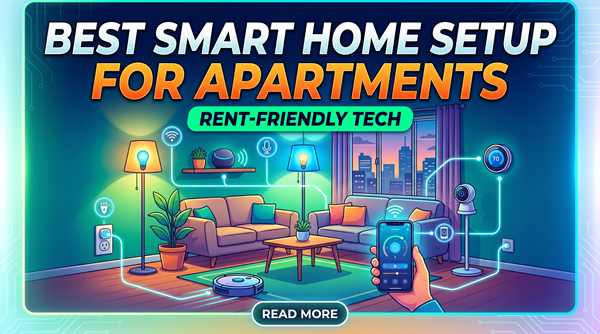
Absolutely. Focus on 'plug-and-play' devices like smart bulbs, plug-in sensors, and battery-powered cameras that can be removed without leaving a trace when you move.